Plug and Play Projects
The cave has some projects ready for visualization, you can run any of those projects directly without any edits or modifications, I made this page to guide you through every one of those projects!
Hint
Before triggering plug and play projects I do recommend restarting the PC to ensure memory is free! CAVE requires relatively huge memory consumption at least make sure we have 20GB of memory for your application.
Some projects require more memory compared to others, always monitor memory consumption
- Projects
BASEBALLER Animation
HouseOnFlames
Double Lane Manuver
ChassisOnTheCAVE
EngineOnTheCAVE
ADAM_EGY_ANCIENT_CIVIL
All these folder can be found in the following path
D:\PlugAndPlay
Before Running this model i recommend you run CAVE_Unreal_Warping.bat tool, this tool simply calls our warping.exe for each node.
- BASEBALLER Animation project shows
Baseball animation for dynamics students
feel free to adjust animation rate
- HouseOfFlames
very nice project that shows the 3D effects
3D Room that makes the user feel place illusion
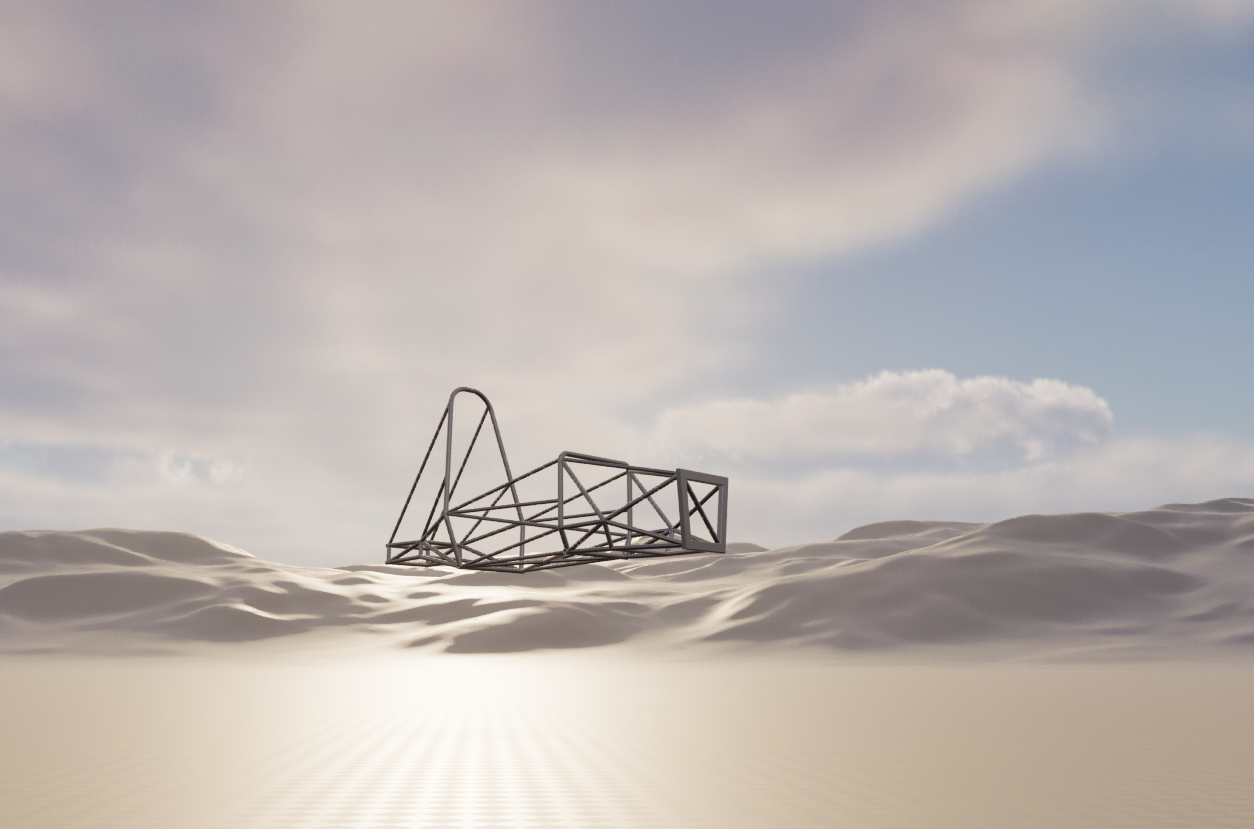
- ChassisOnTheCAVE
senior students from Mechanical engineering designed a chassis using SOLIDWORKS you can visualize their design on CAVE by opening this project
- EngineOnTheCAVE
This model includes 5 different engine animations shows how engine moves and different parts of the engine
The project includes a 3D model of an engine, you can manipulate it on your own
- Double Lane Maneuver
the project shows the double lean maneuver after simulating vehicle dynamics using SIMULINK and visualizing the results using Unreal Engine 5.1